



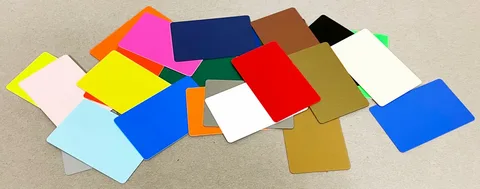
To print plastic cards that are durable, stylish, and secure, you need quality PVC or composite materials paired with professional-grade printing technology. Protective overlays and built-in security features like magnetic stripes or holograms also play a key role. The right mix of substrate selection and design optimization influences overall performance. Post-printing treatments then determine if the cards last months or years while keeping a polished look and resisting tampering. Creating professional plastic cards involves more than running blanks through a printer. Every decision from material thickness to lamination type affects real-world performance, and this guide walks through each step to help you get it right.
What Makes a Great Plastic Card?
A great plastic card balances three essential qualities that work together rather than competing with each other.
| Quality | What It Means | Why It Matters |
| Durability | Withstands daily handling without cracking or fading | Reduces replacement costs and maintains functionality |
| Style | Represents your brand with crisp graphics and a clean design | Creates professional impressions and brand recognition |
| Security | Protects the physical card and encoded data from tampering | Safeguards your organization and cardholders |
Material substrate provides the foundation for strength, while printing technology affects image quality and wear resistance. Post-printing treatments, like overlays, then add final protection and security layers.
Did you know?
The average plastic card gets swiped, scanned, or handled hundreds of times during its lifespan. Cards used for daily access control may see 500+ uses per year, making durability essential for cost-effective programs.
Common Use Cases and Performance Requirements
Different card applications demand different specifications, and understanding your specific use case helps you make informed decisions.
High-wear applications requiring robust construction:
- Daily access badges with constant swiping
- Employee ID cards worn on lanyards
- Membership cards have been used for years
- Loyalty cards stored in wallets
Lower-specification applications:
- Temporary visitor badges
- Event credentials
- Short-term promotional cards
- Seasonal gift cards
Cards worn on lanyards need lanyard slot reinforcement, while wallet cards benefit from standard credit-card dimensions. Investing in premium materials for cards discarded after a single event wastes resources, so match your specifications to actual usage patterns.
Step 1 – Choosing Durable Card Materials
The substrate you choose forms the foundation for everything that follows. Even excellent printing and lamination cannot compensate for inferior base materials, making this decision critical for plastic card printing success.
PVC, Composite, and Advanced Cores
Standard PVC remains the most popular choice due to its excellent balance of durability, printability, and affordability. These cards work well for 1-3 year applications in controlled environments with standard security requirements.
Composite PET/PVC cards combine a polyester core with PVC outer layers, providing superior strength for laminated cards or extended lifespans of 5+ years. The construction withstands heat and pressure from lamination processes that would warp standard PVC.
Polycarbonate represents the premium tier for government IDs and high-security credentials because it accepts laser engraving and resists sophisticated counterfeiting attempts.
Card Thickness, Size, and Special Stocks
Most plastic cards follow the CR80 standard at 3.375″ x 2.125″ with rounded corners, matching credit card dimensions for universal compatibility with wallets, cardholders, and badge reels.
| Thickness | Best Applications |
| 20 mil (.020″) | Temporary badges, thin membership cards |
| 30 mil (.030″) | Standard cards, gift cards, loyalty programs |
| 40 mil | Heavy-duty applications, enhanced rigidity |
The 30 mil thickness has become the industry standard because it feels substantial while remaining easy to swipe through readers.
Pro Tip:
Pre-coated card stocks improve ink adhesion and lamination bond strength. Spending slightly more on quality blanks often produces better results than economy-grade stock.
Step 2 – Selecting a Stylish, Print-Friendly Design
Design decisions made before printing directly affect how finished cards look, function, and represent your brand. The small card format means every element must earn its place.
Layout, Color, and Readability Basics
Essential design practices:
- Position logos prominently with breathing room
- Use sans-serif fonts for small-size readability
- Maintain high contrast between text and backgrounds
- Keep critical information within safe zones (1/8″ from edges)
- Limit yourself to 2-3 complementary colors
Extend background colors past card edges for clean trimming, but never place text or logos in bleed areas. Design in CMYK color mode from the start to prevent unexpected color shifts during printing.
Designing with Security and Function in Mind
Cards with functional elements need designs that accommodate these features without visual clutter.
| Element | Placement Consideration |
| Magnetic stripes | Reserve space along the card back |
| Barcodes | Position for easy scanning access |
| Contact chips | Follow standard chip location |
| Signature panels | Include for cardholder verification |
| Photo areas | Use proper dimensions for clarity |
Visual security elements like micro-text borders and guilloche patterns can enhance rather than detract from aesthetics, adding security layers while contributing to a sophisticated appearance.
Step 3 – Picking the Right Printing Method
The printing method affects both the appearance and durability of finished cards, with different technologies offering distinct advantages depending on volume and quality requirements.
Direct-to-Card vs. Retransfer vs. Press Printing
Direct-to-card (DTC) printing applies dye-sublimation inks directly onto card surfaces. This method delivers fast, cost-effective results for most applications, though it leaves a small border around card edges.
Retransfer printing first applies images to clear film, then transfers that film onto cards using heat and pressure. This process delivers true edge-to-edge coverage and superior durability on textured or uneven surfaces.
| Feature | Direct-to-Card | Retransfer |
| Edge coverage | Small border | True edge-to-edge |
| Image durability | Good | Excellent |
| Cost per card | Lower | Higher |
Press printing suits large-volume production where organizations order thousands of identical cards, then personalize them later using desktop printers.
Printer Features That Boost Security and Durability
Modern card printers offer built-in features worth considering during equipment selection.
Durability features:
- Overlay panels applying protective clear coating
- Lamination modules for thicker protection
- High-resolution printheads for crisp details
Security features:
- Hologram ribbon capability
- UV fluorescent printing
- Lockable ribbon compartments
- Data-shredding ribbon technology
Did you know?
Proper printer maintenance dramatically affects print quality. Dust, debris, and worn rollers cause defects that weaken finished card durability, so regular cleaning pays dividends.
Step 4 – Adding Protective Overlays and Lamination
Overlays and laminates form protective barriers between printed images and the outside world, extending card life significantly while potentially adding security features.
Overlays, Varnishes, and Patch Laminates
Clear overlays applied during printing provide basic protection against scratches, fingerprints, and minor abrasion. Most card printers apply thin overlay panels automatically as part of the print cycle.
Overlay options compared:
- Thin, clear overlays offer convenience and basic protection
- Patch laminates (0.5-1.0 mil) provide enhanced durability for high-wear cards
- UV-blocking overlays prevent fading for outdoor or high-light environments
Varnishes and specialty coatings add texture, gloss variations, or tactile elements that enhance both protection and style.
Holographic and UV Laminates for Style + Security
Holographic films serve dual purposes by creating eye-catching visual effects while providing powerful anti-counterfeiting protection. These films are difficult to reproduce without specialized equipment and provide immediate visible authentication.
Pro Tip:
Lamination bond strength matters as much as the laminate itself. Proper temperature, pressure, and compatible materials prevent delamination that could allow tampering or premature card failure.
Step 5 – Building Security into the Card Itself
Physical, visual, and electronic security layers can combine on a single card to create multiple authentication checkpoints. Printing plastic cards with integrated security requires planning these features into your design and production workflow.
Visual and Physical Security Features
Visual security provides immediate authentication without special equipment.
Common visual security elements:
- Holograms and optically variable devices
- Guilloche patterns resisting photocopying
- Micro-printing is too small to reproduce accurately
- UV-only text visible under blacklight
- Laser engraving that cannot be altered
Physical security features include robust card cores revealing tampering attempts, durable reinforced lanyard slots, and signature panels for cardholder verification.
Electronic and Data-Level Security
Electronic features enable automated authentication and encrypted data storage.
| Technology | Function | Security Level |
| Magnetic stripe | Data storage, swipe authentication | Basic |
| Contact chip | Encrypted data, multi-factor authentication | High |
| Contactless/RFID | Proximity access, tap-to-authenticate | High |
| Dual interface | Combined contact and contactless | Very high |
Printer-side protections like ribbon-data masking prevent used ribbons from revealing printed information, while physical locks restrict access to blank stock and encoding modules.
Step 6 – Quality Control, Testing, and Card Care
Testing and proper handling represent the final steps in producing cards that truly deliver on durability, style, and security promises.
Testing for Durability and Security Performance
Systematic testing catches problems before cards reach end users. Sample cards from each production batch should undergo verification.
| Test Type | What It Reveals |
| Scratch/abrasion | Overlay protection effectiveness |
| Bend/flex | Material resilience |
| UV exposure | Fade resistance for outdoor cards |
| Swipe/scan | Encoding reliability |
| Visual inspection | Print quality and defects |
Document results for compliance purposes and quality tracking. Patterns in test failures reveal equipment issues or process gaps before they affect large production runs.
Storage, Handling, and Lifecycle Practices
Proper storage preserves card quality throughout the production and distribution process.
Storage best practices:
- Keep blank cards in original packaging until use
- Store in clean, dry environments away from heat
- Protect from direct sunlight, preventing warping
- Handle blanks bythe edges, avoiding oil transfer
- Use dust covers on printers when not in use
Establish clear reissuance schedules for your card program, tracking issuance dates so you can replace aging cards proactively. This approach costs less than emergency reissuance and prevents security gaps.
Conclusion
Creating plastic cards that excel in durability, style, and security requires attention at every production stage. Material selection establishes the foundation, thoughtful design ensures professional functionality, appropriate printing methods deliver crisp images, protective overlays extend lifespan, and security features protect against tampering.
The investment in quality plastic card printing pays dividends through longer card life, better brand representation, and reduced replacement costs over time.
DuraCard produces professional-quality plastic cards made in the USA at its Minnesota production facility. Their product line includes Custom Gift Cards for retail and hospitality businesses, Membership Cards for organizations and clubs, and Plastic Business Cards that make lasting impressions. Every card undergoes quality control before shipping, and their team guides customers through design and ordering with free design services and compatibility with over 200 POS systems.
Frequently Asked Questions
What kind of printer should I use to print durable plastic cards?
You should use a dedicated PVC card printer using direct-to-card or retransfer technology instead of standard inkjet or laser printers. These specialized printers embed color into plastic and produce waterproof, wear-resistant prints that office printers cannot achieve.
How can I make my printed plastic cards last longer?
Choose quality PVC or composite cards, add overlays or lamination, use a high-quality card printer, and protect finished cards with holders or lanyards. Proper storage away from heat and sunlight also extends card life significantly.
What makes a plastic card look stylish as well as durable?
Clean layouts with readable fonts, strong contrast, high-resolution printing, and appropriate finishes like gloss or matte create stylish, durable cards. Quality materials and proper printing techniques ensure designs translate well to finished products.
How do I add security features when printing plastic cards?
Print barcodes or QR codes, encode magnetic stripes or smart chips, and use overlays or laminates with holograms, UV printing, micro-text, or scratch-off panels. Combining multiple security layers provides stronger protection than single features alone.
Is lamination really necessary for secure, long-lasting ID or access cards?
Lamination is strongly recommended for ID or access cards because it protects prints from abrasion and UV fading while carrying holograms or anti-tamper features. Cards without lamination show wear faster and offer fewer security options.
